One-click agent setup
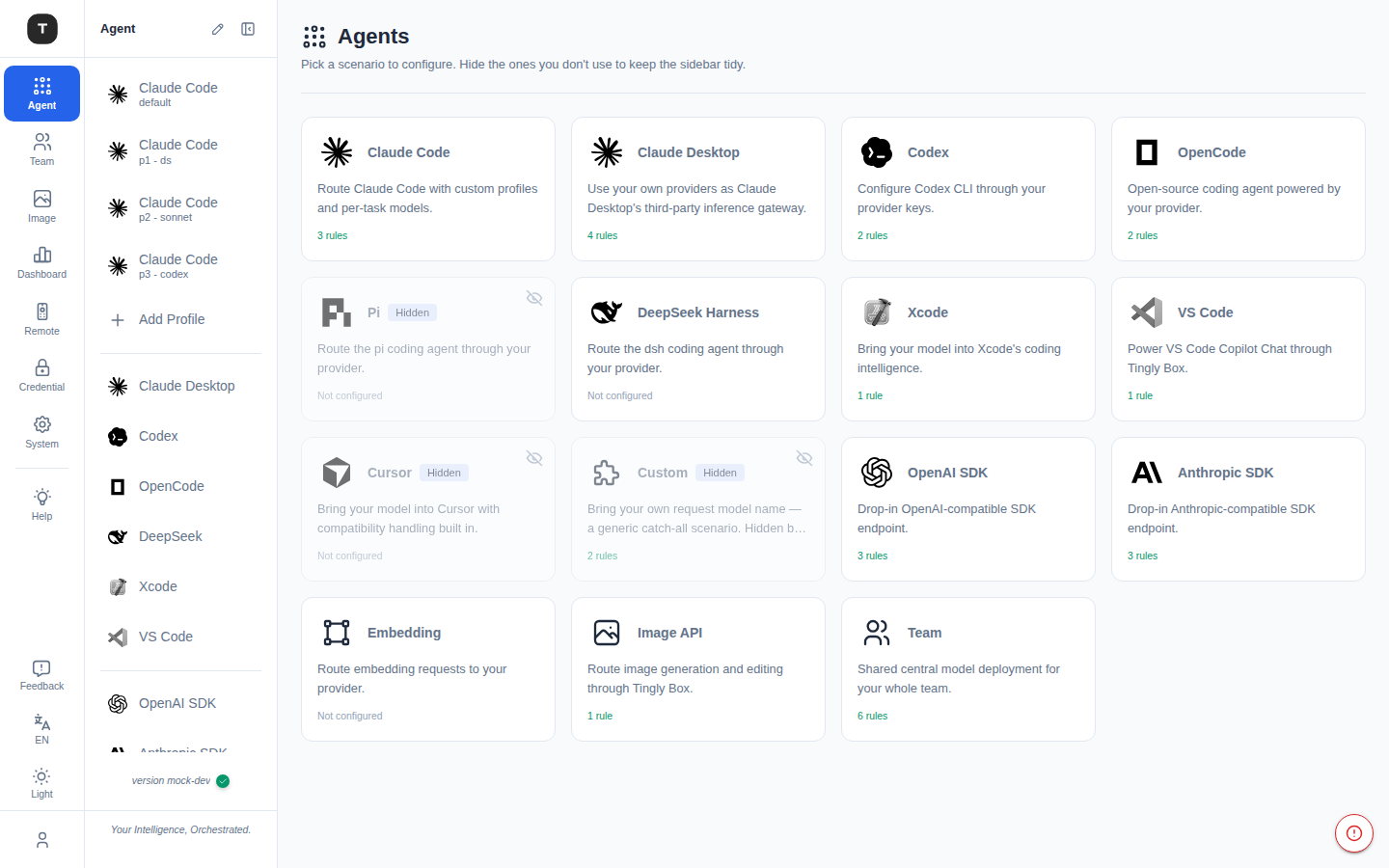
Claude Code, OpenCode and Codex are configured for you; Xcode, VS Code and others get a step-by-step in-app guide.
Open-source AI gateway · MPL-2.0
Tingly Box plugs Claude Code, Codex, OpenCode, Xcode and every other agent into any model provider — and gives your team shared keys, routing rules, usage and guardrails in one place.
npm i -g tingly-box
install
tb start
run
Any agent ⇄ any provider
How it works
01 · Your agents
Claude Code, Codex, OpenCode, Cursor, Xcode, VS Code — or any app that speaks an OpenAI or Anthropic API.
02 · One endpoint
One-click config writes the base URL and key for you: localhost:12580/tingly/<scenario>.
03 · Any provider
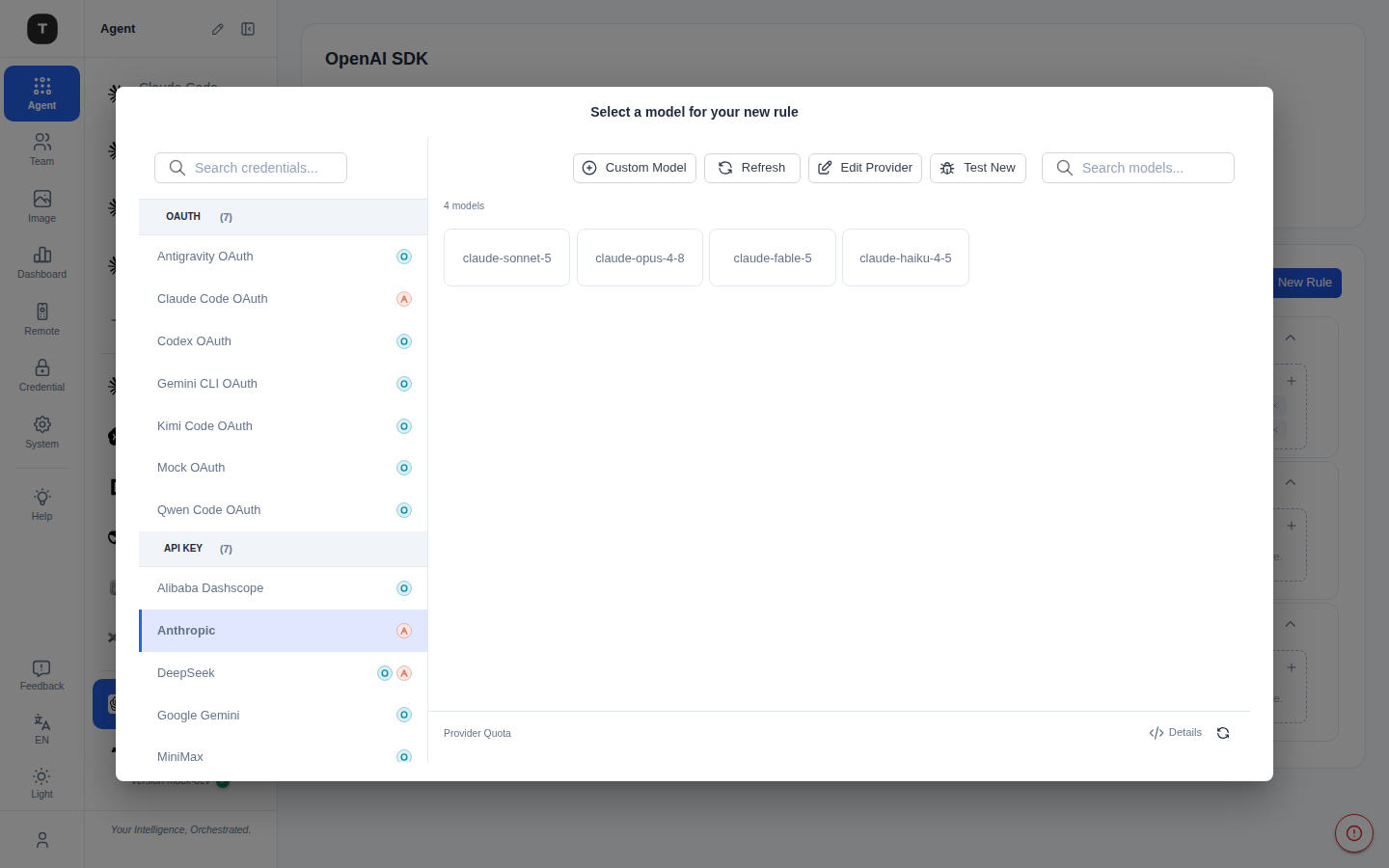
Rules map a model name to providers, with smart routing and fallback. Protocols are translated both ways, and OAuth lets you reuse existing quotas.
04 · Your team
Each member gets a dedicated key on a shared team endpoint. Model rules are managed centrally; data stays isolated per user.
05 · Power-ups
Guardrails, MCP tools, Usage and Remote come built in. Turn on what you need, when you need it.
Any agent → any provider
Agents keep their native protocol. Tingly Box converts between Anthropic, OpenAI and Gemini formats, so Claude Code can run on DeepSeek and Codex can run on Claude.
Claude Code, OpenCode and Codex are configured for you; Xcode, VS Code and others get a step-by-step in-app guide.
Switch between profiles that map each task tier to a different model — Opus on one provider, Haiku on another.
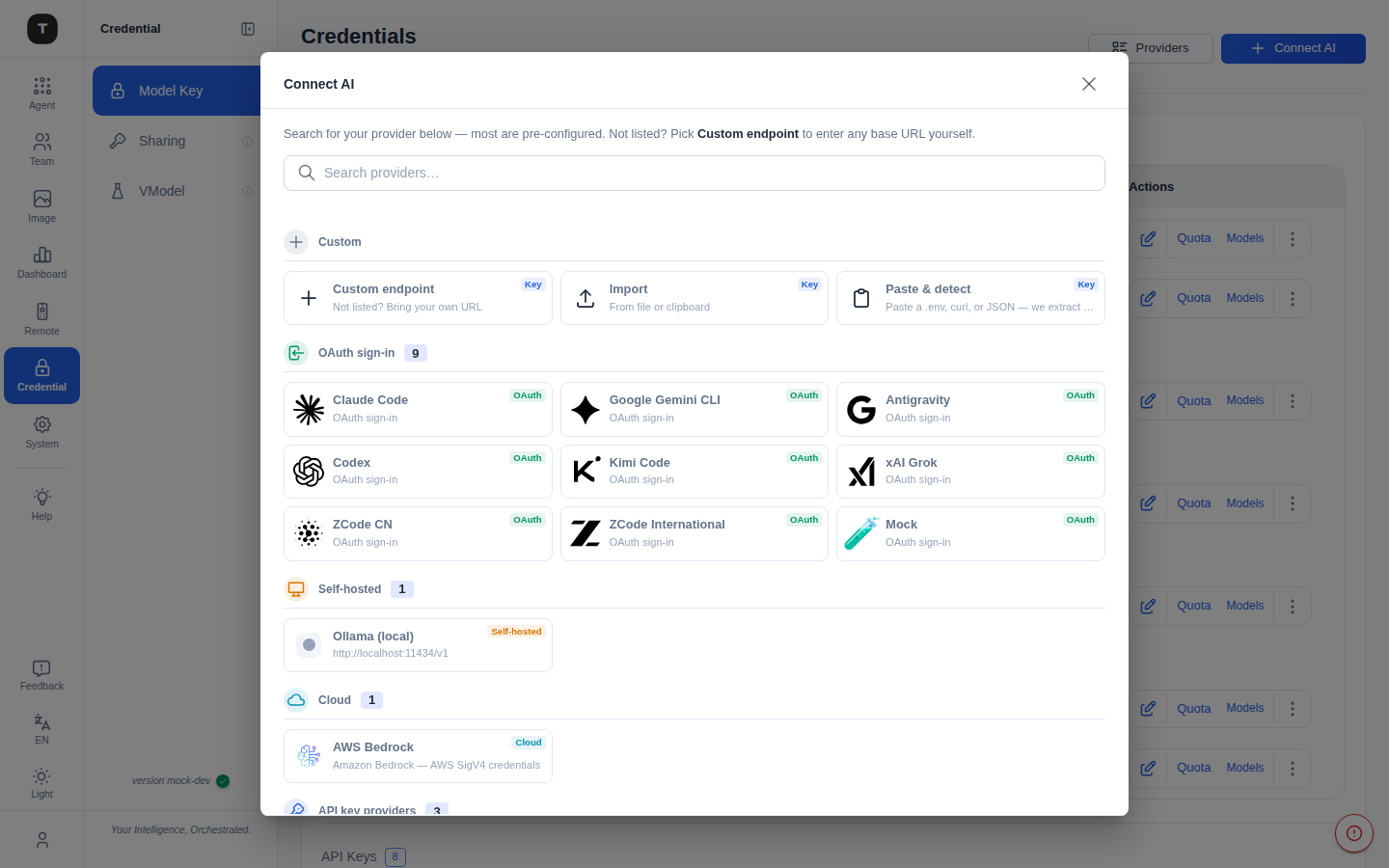
Add providers by key, or sign in with OAuth and reuse the quota you already pay for, in any compatible tool.
Route across models and tokens by cost, speed or your own policy, with load balancing and fallback built in.
vLLM, SGLang, Ollama, LM Studio, LocalAI and Jan connect like any cloud provider, with defaults pre-filled.
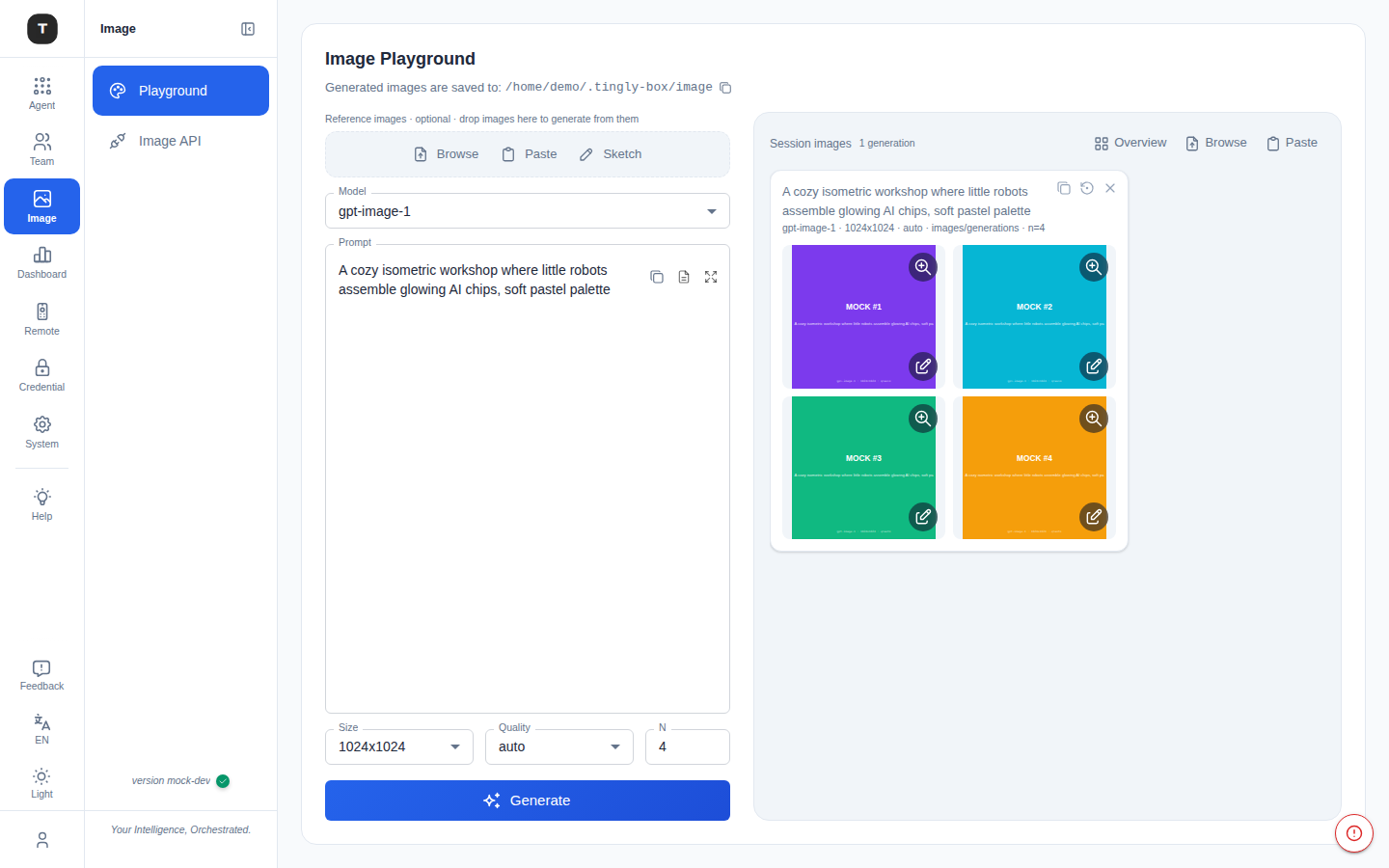
Route image generation and editing through the same gateway at /tingly/imagegen, with a built-in playground.
Team AI management
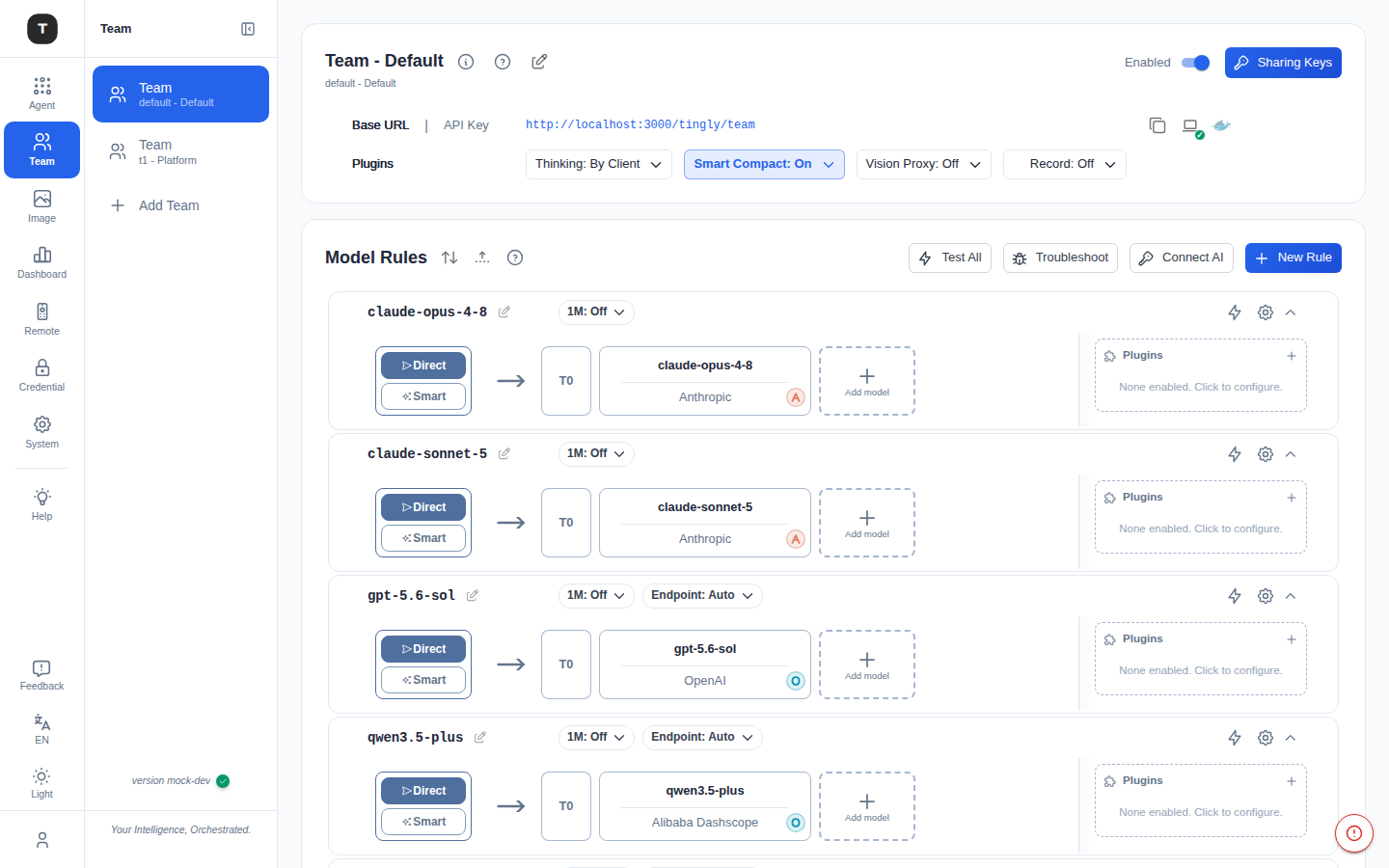
One team endpoint backed by centrally managed model rules. Members get their own keys; you get per-user usage, isolation and policy.
Open Team and decide which models the team can call, and which providers serve them.
Create a key per member under Sharing Keys. Revoke or rotate one without touching anyone else.
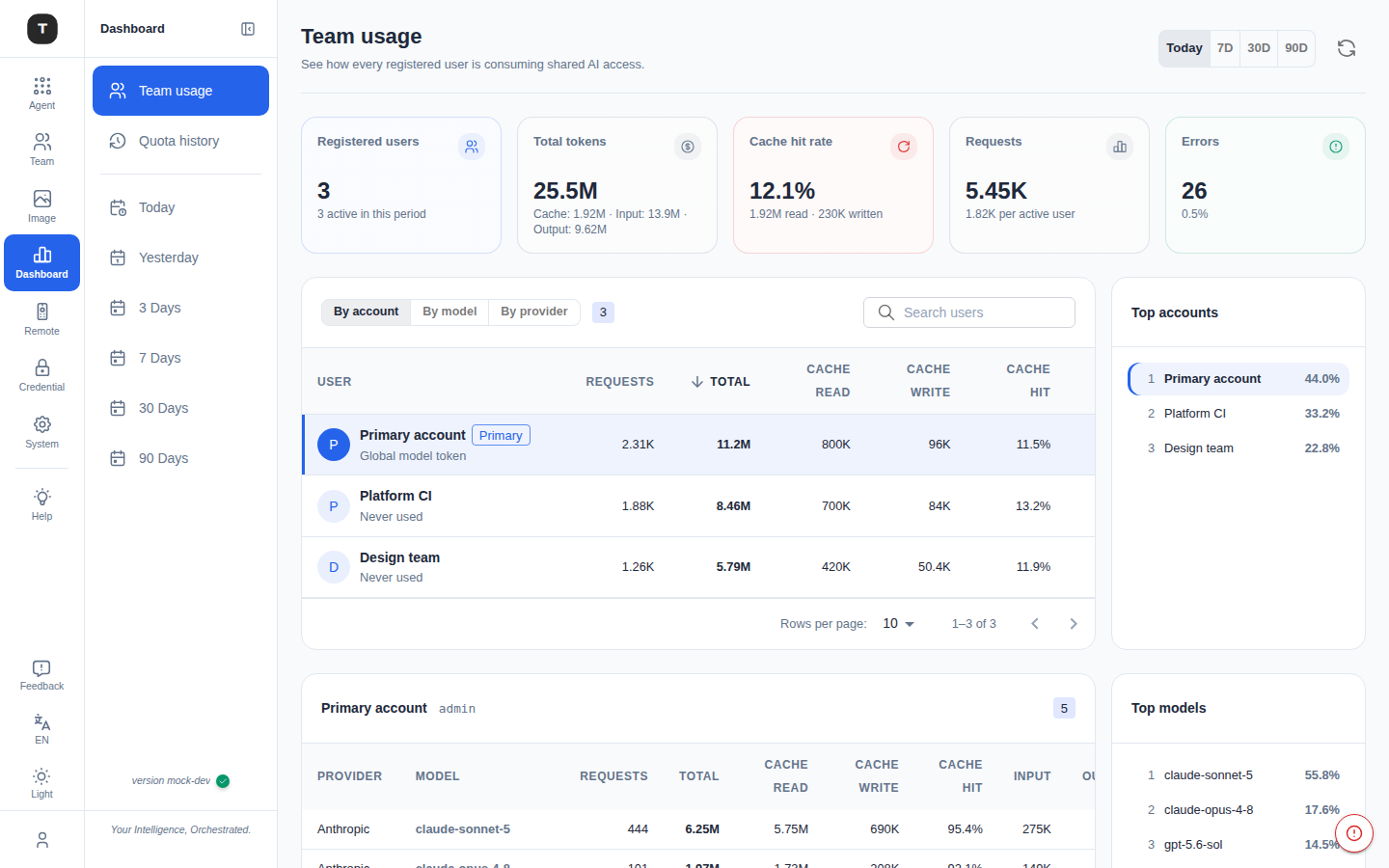
Dashboard → Team usage shows tokens, latency and cost estimates per member and per model.
Policy checks on requests and responses, built-in protections, and masking for protected credentials.
Guardrails guideRegister MCP servers once and share them with every agent — per source or aggregated — with built-in web_search and web_fetch.
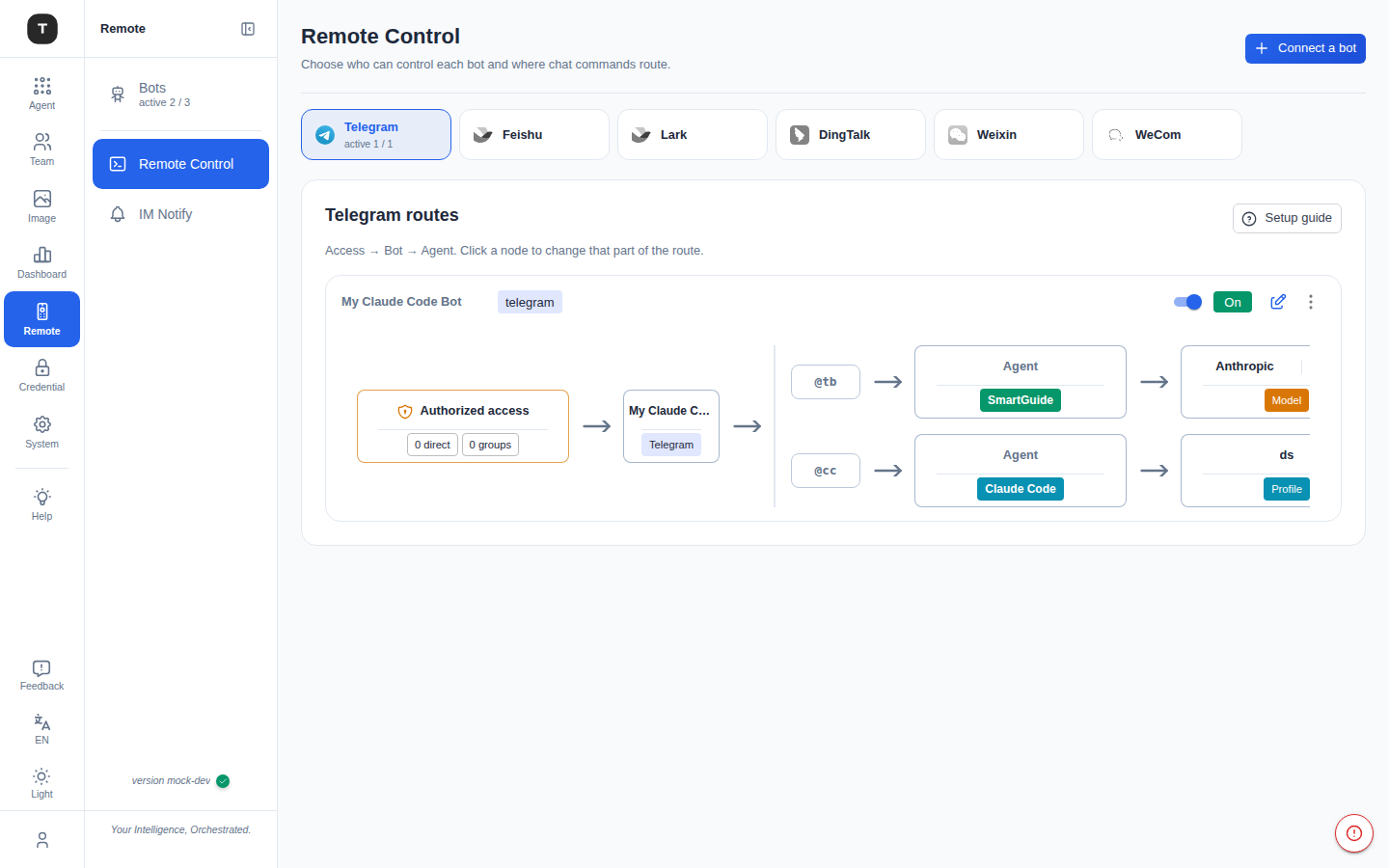
Drive agents from Telegram, WeChat, WeCom, Feishu, Lark or DingTalk — from any device.
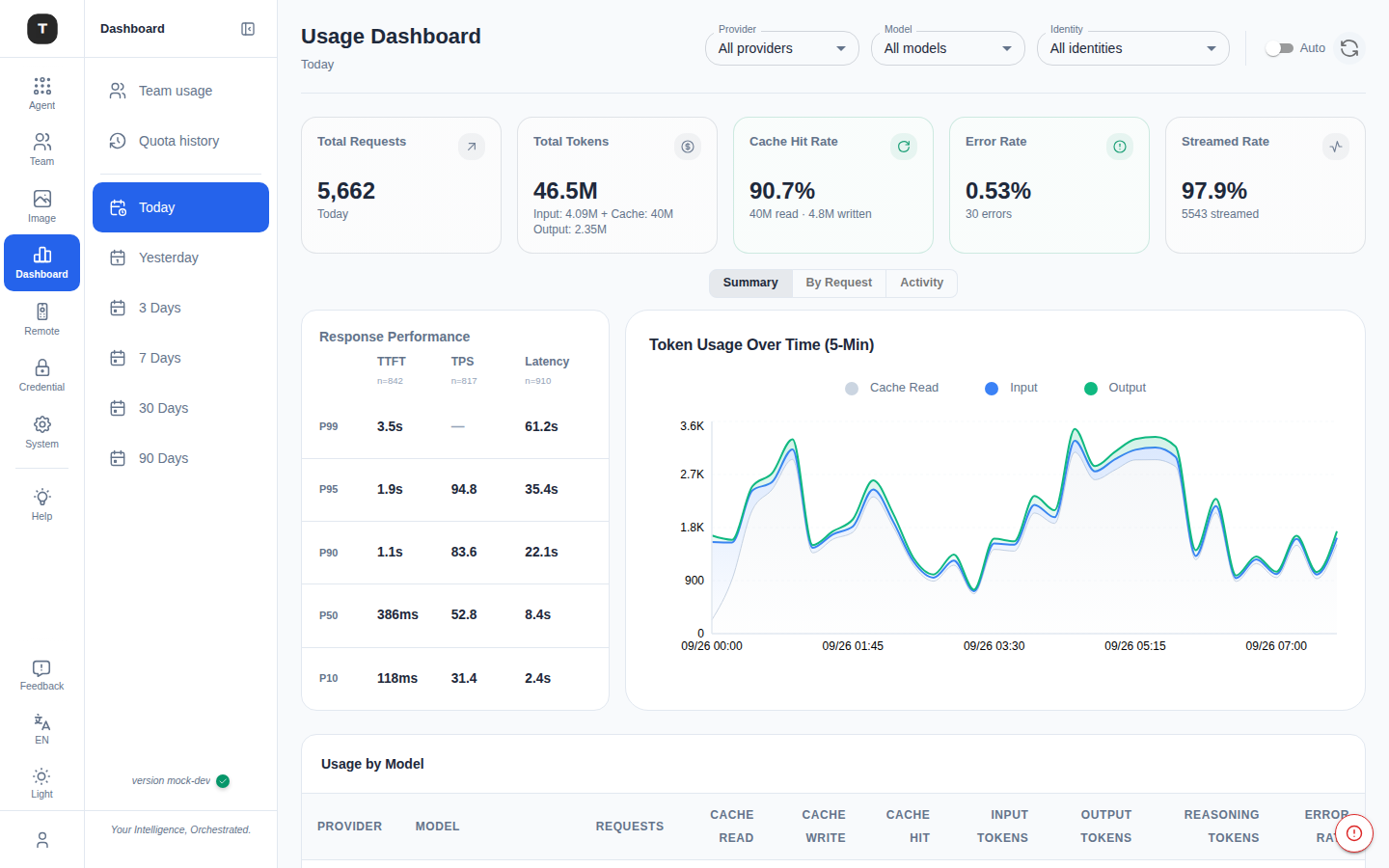
Tokens, latency, cost estimates and model selection for every request, across people and scenarios.
Inside the box
Quick start
macOS, Linux and Windows. Install from npm — the platform binary ships inside the package, so an npm mirror is all you need behind a firewall.
# install (recommended)
npm install -g tingly-box@latest

tb start   # runs in the background (--no-daemon for foreground)
tb open    # opens the web UI

# update: reinstall, then restart
npm install -g tingly-box@latest && tb restart

# behind a firewall, any npm mirror works
npm install -g tingly-box@latest --registry=https://registry.npmmirror.com
# one-off run without a global install
npx -y tingly-box@latest
# with a mirror
npx --registry=https://registry.npmmirror.com -y tingly-box@latestmkdir tingly-data
docker run -d --name tingly-box \
-p 12580:12580 \
-v "$(pwd)/tingly-data:/home/tingly/.tingly-box" \
ghcr.io/tingly-dev/tingly-box# any OpenAI-compatible client works the same way
from openai import OpenAI
client = OpenAI(
api_key="your-tingly-model-token",
base_url="http://localhost:12580/tingly/openai/v1",
)# any Anthropic-compatible client works the same way
from anthropic import Anthropic
client = Anthropic(
api_key="your-tingly-model-token",
base_url="http://localhost:12580/tingly/anthropic",
)Learn more
Open source, runs on your machine, adds under a millisecond.
npm i -g tingly-box
install
tb start
run